
VPS Setup & Download software
Why Use a VPS?
To ensure MAPMS keeps your pools balanced and running 24/7, you’ll need to keep it online continuously.
If your personal computer shuts down, the software stops managing your LPs. That’s why we recommend using a VPS (Virtual Private Server).
A VPS keeps your MAPMS running even when your computer is off, allowing it to continuously rebalance your LP positions and claim fees automatically.
Recommended Configuration
OS: Windows Server
RAM: 4GB
However, if you’re looking for a reliable and beginner-friendly option, we suggest trying Hyonix VPS

💡 Note:
MAPMS is not affiliated or sponsored by Hyonix.
How to Set It Up
- Go to https://hyonix.com/
- Register your account
- Go to buy order, Choose standard server
- Region: For optimal performance, select a server location nearest to you.
- Select Windows Server as your OS
- Select 4GB RAM 50GB SSD
- Buy the subscription
Once your VPS is ready
As you complete the MAPMS Registration, you will come to the home page (shown below). Now, click on Licenses tab
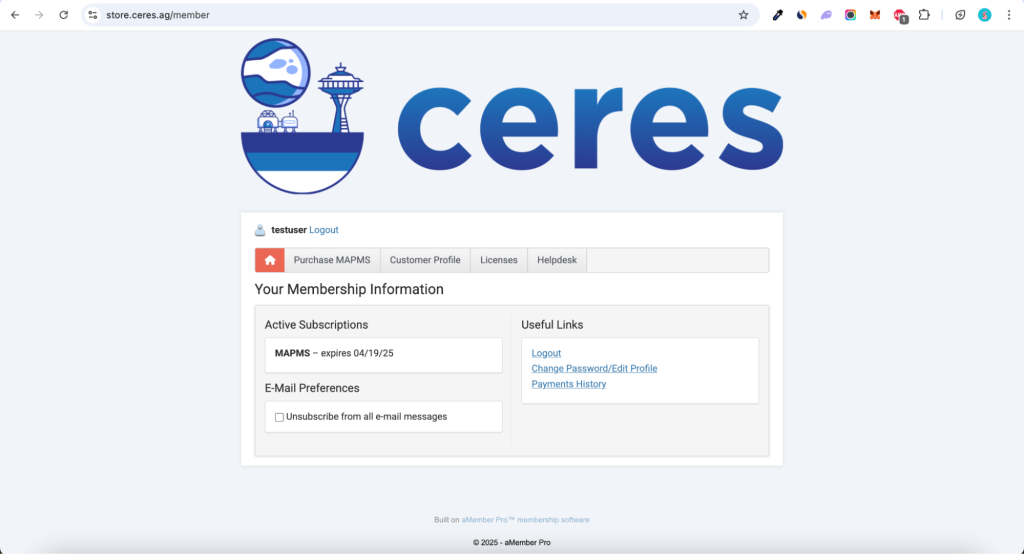
once you come to the licences page, click on the full key and copy the your key which will be used later in logging in.
Then, choose the software version you want to download and click on download here, so it will start downloading the windows application